Project Name: Castlevania Dance of Blades
Description: Castlevania Dance of Blades is a 2.5D sidescroller beat 'em up game in which the player must fight through Dracula's castle, collect powerups, gain new abilities, and defeat bosses. This project was developed during my second year at Teesside University as part of the Journeyman Project.
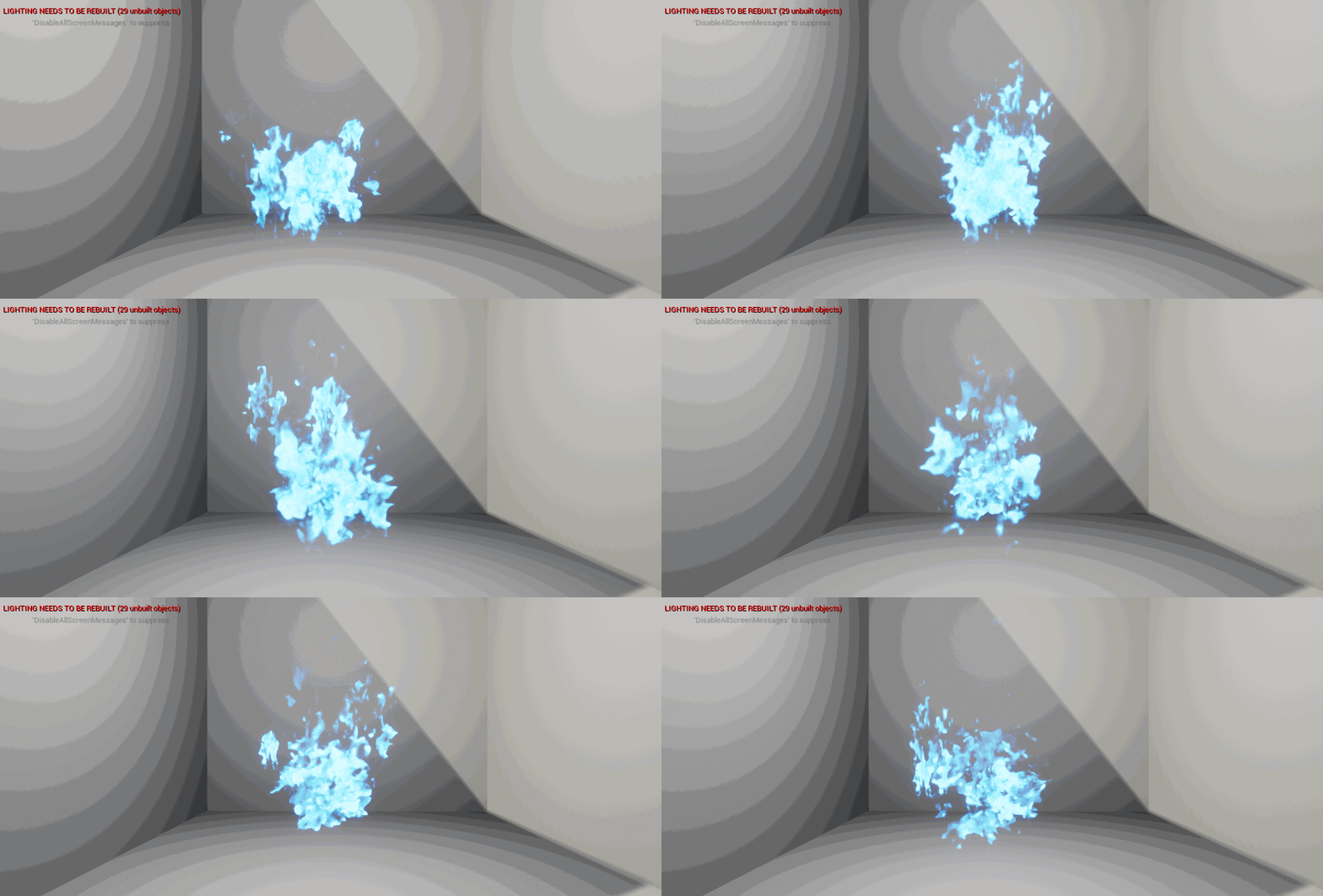
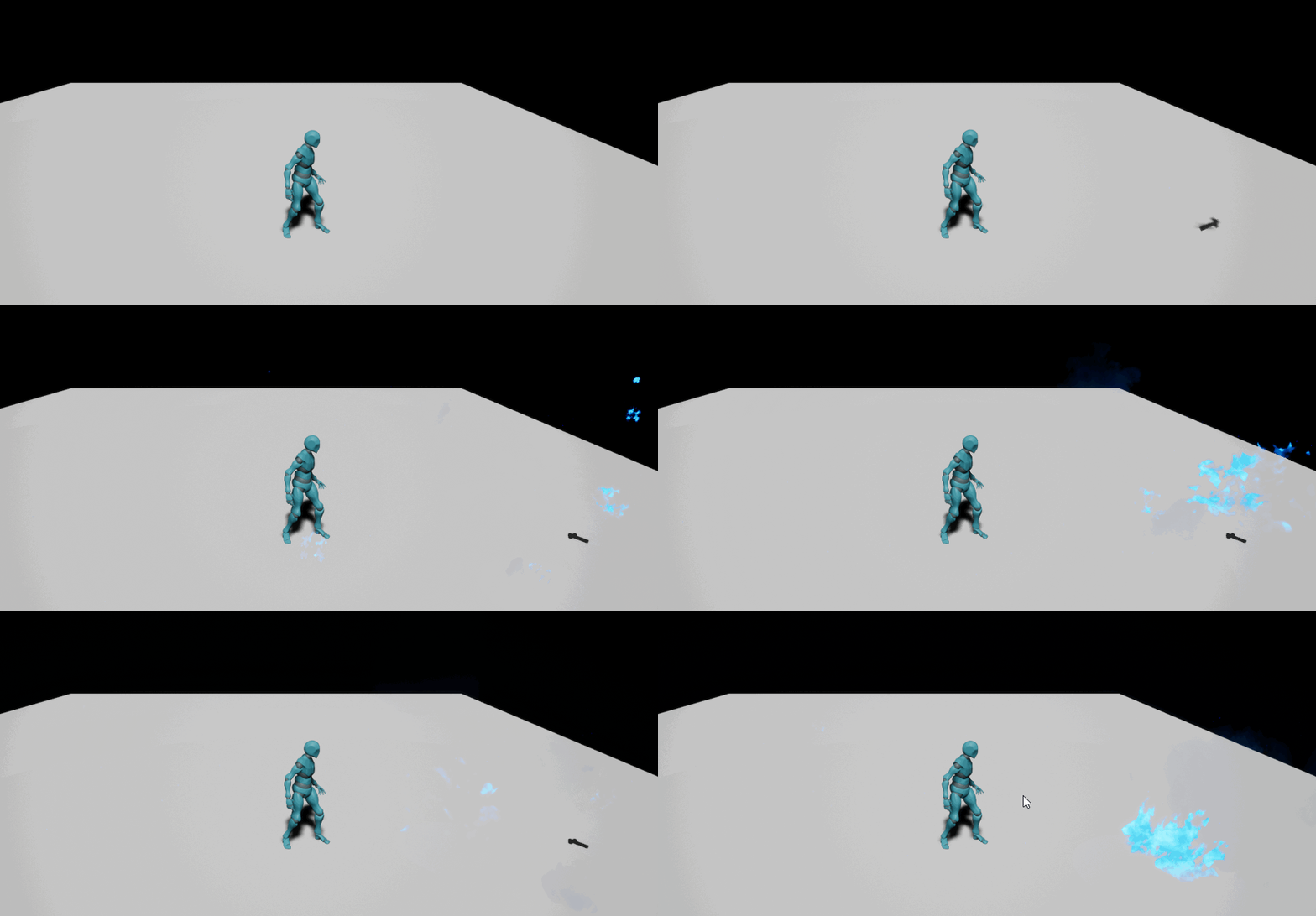
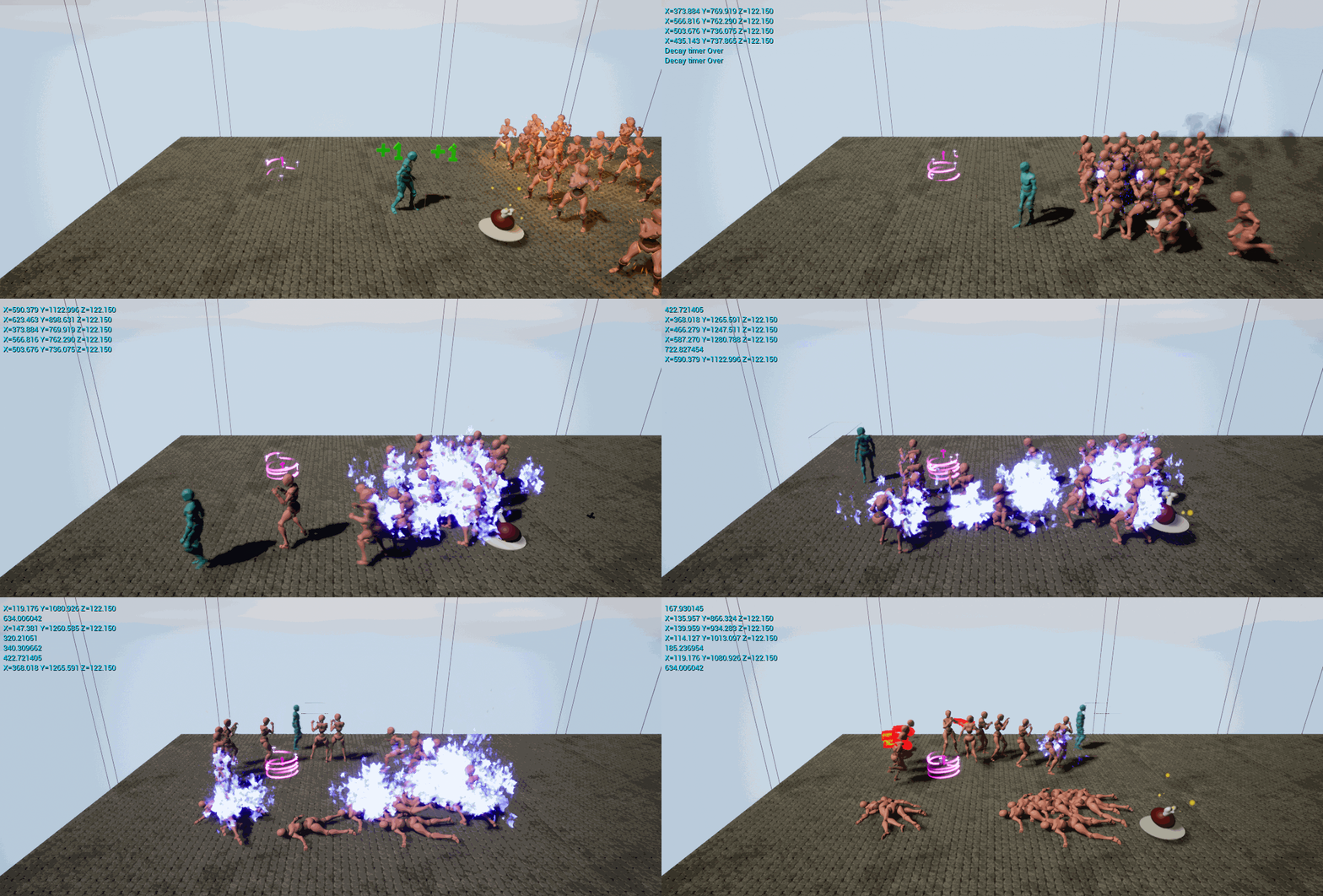
My Responsibilities: As a member of the team, I was responsible for creating all of the VFX, powerups, wave systems, and player abilities. This included fine-tuning the Bat Swarm ability to ensure that the correct number of bats spawned, creating a spawning particle effect that could be colour-coordinated, and developing VFX for player abilities and pickups using Unreal Engine's Niagara VFX system. The holy water VFX, in particular, required a significant amount of time and attention to detail to ensure that the water in the bottle moved realistically and that fire particles were only attached to characters hit by the initial splash to prevent performance issues.
Project Highlights: One of my favourite aspects of this project was exploring the use of Niagara and learning how to create particle effects despite my limited experience. Additionally, I enjoyed working with the team to keep our scope minimal and deliver a playable demo quickly, which prevented the need for a crunch period during the final weeks of the module.

Pilgrimage is a virtual reality game project that I worked on as part of my Advanced Game Design module and continued to develop for my Final Year Project at Teesside University. The project aimed to expand on the typically small number of spells found in magic-based VR games by introducing a combination system that allowed the player to craft spells from runes or orbs. I created a system that made it easier to implement interactions between spells and the environment in Unreal Engine and experimented with different spell combination systems to find one that was simple to use and allowed for a wide variety of spells.
In the end, I settled on a spell system where the player would combine two different spell orbs to create a spell, resulting in 26 spell combinations and 3 types of spells (AoE, Projectile, Beam). I also designed and created 3 levels, intending to slowly teach the player the game mechanics, including movement, enemy combat, and a final boss fight against a Dragon.
While the project was challenging, especially given the freedom that VR offers the player, I am happy with what I achieved, including completing everything that I had stated in my project proposal. However, I have also learned the importance of keeping the scope of a project manageable and focused, which will be valuable in my future game development endeavours.
April 2022
Project Name: VFX Upskill
In the Upskill module, the focus was on learning how to create and manipulate particles in the Unreal Engine. The goal was to increase the contributor's knowledge and ability to create visual effects, which is essential in providing juice to projects.
I enjoyed working with particle effects when working on the Castlevania module and felt that learning VFX would be a valuable skill to have in a small indie team. As the contributor was also helping to create a small indie team through the university launch pad, the lack of VFX knowledge within the team was identified.
During the module, the contributor learned how to manipulate particles through a blueprint as well as Niagara. One of the most challenging VFX was the skeletal mesh fire effects. Creating a custom VFX node was necessary to spawn fire on the skeletal mesh without inheriting its velocity and not attaching itself.
Overall, the module was a great success, and the contributor gained a lot of knowledge about how to manipulate particles inside the Unreal Engine, which would be beneficial in future projects.
Project Name: Swamp Axe
Swamp Axe was created as part of GGJ 2023, a global game jam where the theme was "Roots." As part of a team of five, I contributed to the development of the game as a game programmer, handling various aspects of the game, including player characters, AI, camera movement and bounds, main menu, animation, VFX, spline tools, and couch-coop.
One of the most challenging aspects of the game was setting up the camera, as we wanted to strike a balance between having a large view of the battlefield while limiting spawn points and being close to the action for easier destruction of roots and enemies nearby. To address this, I set up camera bounds using an inverse cube and collision settings to prevent players from being pulled through the camera collision and walking off-screen.
Overall, the team performed like a well-oiled machine, completing assigned tasks quickly on Trello while enjoying each other's company and discussing our favourite games, past projects, and future plans. Despite our busy schedules with work and appointments, we all managed to find time to work on the project and complete our tasks, which allowed us to create a fun and engaging game.
Swamp Axe can be found on the Global Game Jam website, where you can also access the source files for the game. Participating in this game jam was a great experience, and I'm looking forward to future game jams and the opportunity to work with other talented game developers.
Participates:
Brandon Johnson - Environment Artists
Annabel Grant - Character Artist
Luke Manning - Game Designer
Tom Robson - Game Programmer
Matthew Stott - Technical Designer


Participates:
Annabel Grant - Environment Artist
Brad Nelson - Level Designer
Matthew Stott - Technical Designer
You can download and play the game here https://globalgamejam.org/2022/games/bitchinnightmares-8
You will need an oculus headset and a link cable to play the game, due to it being a game jam I didn't have the time to create a .exe which would run only on the headset.
Bitchin Kitchen is a VR endless runner game that was created during the 2022 global game jam by a team of three, including myself as the sole programmer. Our goal was to create a game where players would need to cook, clean, and survive while running endlessly.
As the only programmer, I had the opportunity to learn a lot about packaging for VR projects, motion sickness, and procedural generation. To mitigate the risk of building a VR game, we also created a third-person character version of the game in case the VR version didn't work. Fortunately, the VR project played well and functioned perfectly, with only a few minor bugs and motion sickness, which was a good lesson in moving the player without them performing some action.
During the jam, I worked on several aspects of the project, including the VR project setup, VR menu, VFX, procedural generation, pickups, building the Exe, and source control.
We had an awesome time at the jam, and the opportunity to meet some industry professionals from Ubisoft was extremely valuable. I am looking forward to participating in more game jams, including GGJ 2023.
Participates:
Brad Nelson - Level Designer
Annabel Grant - UI Artist
Matthew Stott - Technical Designer
Ripple Effect is an isometric point-and-click educational game that I worked on with a team of three during the Northumbrian Game Jam event at Teesside University. The game was developed in response to an industry brief provided by Northumbrian Water, which challenged us to create a game that would teach children the value of water in a fun and interactive way.
Despite only having 36 hours to work on the project, we managed to create an interactable prototype that impressed Northumbrian Water so much that they contacted us about the possibility of bringing it to market. Throughout the jam, we had meetings with industry professionals at Northumbrian Water who provided us with key information and resources to use for the project, simulating the client-developer relationship that we might encounter in a real-world work setting.
As the sole programmer, I was responsible for character movement developer, creating the toilet, toothbrush, and shower mini-games, as well as implementing VFX, decals, and interactable objects. I also contributed to the cinematics and video editing aspects of the game. Developing Ripple Effect was a great opportunity to work under tight time constraints and in a collaborative environment, and I'm proud of what our team was able to accomplish in such a short amount of time.
Our team included:
Brandon Johnson (environment artist)
Annabel Grant (character artist)
Christopher Terry (programmer)
Leon Hirst (programmer)
Matthew Stott (Team Lead, Technical Designer).
Throughout the Jam, I personally created various components such as menu functionality, player movement/animation, enemy AI, particle effects, camera movement, the tutorial level, source control, and game packaging.
I recently participated in the Athena Game Jam at Teesside University and had the opportunity to work with an amazing team of game developers. As the team director, programmer and game designer, I led the team and handled programming, game design and source control (Github).
We were challenged to create a game with the theme "Sharp and Balance" within five days, and we created Blacksmith Apocalypse, a horde game where players have to craft weapons to fend off the forces of evil. Despite some challenges we faced during the game jam, such as using source control and completing the final build, our team worked together to overcome these obstacles and create a unique and exciting game.
During the Blacksmith Apocalypse Game Jam, I was responsible for creating several critical components of the game. Specifically, I developed the menu functionality, player movement and animation, enemy AI, particle effects, camera movement, the tutorial level, source control, and game packaging. These tasks required a high level of technical expertise, creativity, and attention to detail, and I am proud of the results that I achieved. Working on this project gave me the opportunity to demonstrate my skills as a game developer and collaborate with other talented individuals to create a fun and engaging game.
Through this experience, I learned a lot about saving games and project management in a short amount of time. I also honed my leadership and problem-solving skills and gained experience working with a diverse team of game developers.
After the game jam, we bug-fixed and added controller support to Blacksmith Apocalypse. I'm proud to say that our game won the award for Best Gameplay at the end of the playtesting from Double Eleven. Our team plans on attending more game jams while waiting for an industry opportunity, and we are excited to continue working together in the future.
Overall, the Athena Game Jam was an incredible experience that allowed me to challenge myself and work with a talented team of game developers. I'm proud of what we achieved in just five days, and I look forward to using the skills and knowledge I gained from this experience in future game development projects.
Our team included:
Brandon Johnson (environment artist)
Annabel Grant (character artist)
Matthew Stott (Technical Designer)
Throughout the Project, I personally created various components such as UI Functionality, player movement/animation, enemy AI, particle effects and a health component.
In anticipation of a local games event, we decided to create a short project that would mimic Minecraft Dungeons; a game which both Radical Forge and Double Eleven have participated in development. We hoped that this would aid us in showing that we are competent in not only game development but would feel confident in working on a project that they are actively developing.
As we had only heard about the event a week prior, we decided to keep the scope small and work on the boss fight and replication of their UI functionalities and mechanics. As we didn't want to work on something that already exists in the Minecraft dungeons universe we decided to take a look at the Minecraft mod "The Twilight Forest" and chose to replicate the Naga Boss fight from the mod in the style of Minecraft Dungeons.
Replicating the Movement of the Naga was the trickiest part of this project since it moves like a snake but is made entirely of cubes. One of my main strategies to replicate the movement was to have each section of the naga translate towards the cube in front but to have the rotation and location update at slightly different rates since we wanted to ensure that the cubes stay close together but the rotation doesn't look too snappy and instead looks smooth like a snake. I also had the head of the naga translate slightly up/down, left and right on a constant loop which prevents the naga from travelling in a straight line and instead ends up moving closer to a sine wave.
Originally I also had a collision between the head and body of the naga to prevent it from moving through itself but eventually decided to disable it for the final video as it can lead to the Naga getting stuck if within tight quarters and could occasionally result in the naga getting stuck in the air being unable to navigate back down to the ground. This is something that I would like to possibly revisit however as it would be more convincing for the Naga to always navigate around its body rather than sometimes travelling through itself.
One of my favourite things that I actually worked on during this project was the Health UI and Health component as it is set up to be reusable across projects and can be attached to players, bosses or other Ai. This component also displays how much damage was taken or how much the player was healed and will even allow Ai to have health bars that only show if the Ai has taken damage similar to the way that MC Dungeons handles health bars to prevent screen clutter.
Unfortunately, we didn't have much opportunity for people to play the game during the event due to laptop battery life and access to plug sockets but the people who did play or saw the video that we made for the likely event could play the game were nothing but positive with many people even assuming we had created it just inside of Minecraft rather than everything inside of Unreal Engine. Those who played the game said that it was really fun, was very close to Minecraft dungeons and had a real promise with a little more user feedback for when the player deals damage to enemies which is something that we as a team completely agreed with and had mentioned prior to attending the event.
Overall I am extremely happy with how we as a team performed over such a short time period which was cut down even smaller due to everyone on the team working close to full-time hours that week. The final product played well was exactly what we had scoped for and was relatively bug-free so I really couldn't be much happier.
After showing the project to someone currently working on Minecraft Dungeons they mentioned that the team typically when looking for designers they look to find someone who can create interesting and unique mechanics rather than just being able to replicate projects that already exist which was a valuable bit of feedback and means that it's likely that the project won't be expanded on in the future so that we can work on something a little more unique but if this is where we leave the project it was an awesome experience and an even better final result.
Here are some of my favourite scans:
Statue:
https://poly.cam/capture/0A9070BF-E7C9-4845-8178-77A212CF187A
Owl Statue:
https://poly.cam/capture/468017CA-83EE-4EEE-9241-9F56AFD1095D
Log Pile:
https://poly.cam/capture/B489F1A1-7489-45FD-A7AC-CC69DD96D83B
Tree Trunk:
https://poly.cam/capture/37EB777D-DAB0-48BB-908A-4D65E85F8784
Tree Stump:
https://poly.cam/capture/939DF462-E17F-4E30-99E1-6A3DD9C65741
Time Trinkets was a Proof of Concept project that I worked on during my time at Education & Play. The goal of this project was to showcase the potential of creating a VR experience for visitors to use in museums as an interactive tool to explore artefacts.
We chose a 1930s Huntley and Palmer biscuit tin as our main artefact and used photogrammetry to ensure that we captured as much detail as possible. We then transported the player back in time to a 1930s sweet shop during the Christmas period, where they would sell this tin to a customer.
For this project, I was responsible for scripting both the First Person and VR experiences. We believed it was essential to develop both experiences alongside each other, ensuring that visitors would have an option to use the first-person version of the build if the VR headset was unavailable.
Despite the project being discontinued after the proof of concept stage, it allowed the team to develop several valuable skills in game development and project management. During the project, I personally worked on VR and third-person character development, AI, interactable VR objects, portal VFX, video editing, photogrammetry, project pitching, and source control management using Github.
Our team also experimented with Photogrammetry tools like Polycam and Zephyr 3D, learning about the correct conditions and processes to create high-quality and usable meshes. Overall, Time Trinkets was an excellent learning experience for everyone involved, despite the project not moving forward.
Date: December 2022
Participates:
Brandon Johnson - Environment Artist
Annabel Grant - Artist
Brad Nelson - Level Designer
Matthew Stott - Technical Designer
Participates:
Brandon Johnson - Environment Artist
Annabel Grant - Character Artist
Brad Nelson - Level Designer
Matthew Stott - Technical Designer
The Didcot Train Experience was a project I worked on during my time at Education & Play. The objective of the project was to create a VR experience that visitors could use in museums to interact with artefacts. For this project, we chose to create an experience centred around a train.
During the project, I handled several tasks such as VR project setup, scripting of VR and first-person characters, in-game prompts, train movement and interactable doors, VFX, pickups, building the home, and source control management.
We also experimented with new tools like photogrammetry to capture the intricate details of the train and other objects, as well as how to create high-quality and usable meshes. This experience allowed me to learn a lot about VR development, project management, and the importance of collaboration between team members.
Although the project did not progress past the proof of concept stage, it was a valuable learning experience for our team, and we gained useful skills in the process.
As a graduate of Teesside University's Technical Game Development program, I earned first-class honors and gained extensive experience working with Unreal Engine. While my expertise lies in this area, I am also open to learning and utilizing other engines as needed.
I invite you to explore my portfolio, where you'll find videos of some of my past projects and detailed information on how I created them. While these projects showcase my skills and creativity, I have also worked on numerous other projects that I would be happy to share upon request.
Matthew Stott
Technical Designer
Thanks for taking the time to view my portfolio!
Want to see more?
I am always working on more projects behind the scenes feel free to contact me for a chat via Linked-in
Connect with me on Linked-in
https://www.linkedin.com/in/matthew-stott-65398120a/

Want to try it out?
It's a free tool, you can edit it for your own purposes or leave it as is.
If you do use it I would love to see how you used it and would very much appreciate a credit.
You can find the tool and any updates made to it here:
Instructions for Using the Spline Tool
1. Add the assets you want to use on your spline to the "All Mesh Types" Array. To include an asset in randomization, make sure to click "include?".
2. Set the mesh length for each of your mesh types.
3. Drag the second spline point around to add and remove meshes to match the length of the spline.
4. To create curves, hold Alt and drag the spline points around.
5. To change individual meshes on the spline, open the "Current Meshes" array and select the mesh you want to change. Make sure to turn off randomization before doing this. You can also change the materials of each mesh individually.
6. If you want collision enabled, ensure that "CollisionEnable?" is set to true.
Limitations
1. All meshes besides the first and last need to have the same length and forward axis.
2. Currently, only curved splines are fully supported. To create straight splines, you can use multiple spline blueprints.
Using the unreal engines Chaos Vehicle system I tried to replicate Tron Legacy's Light Cycle movement and Jetwall barricade that generates behind the Light Cycle.
I used the knowledge that I gained of splines from my spline fence tool to spawn walls behind the player as they drive, the tricky part of this was getting the walls removed after a delay. You would think that this could be as simple as getting rid of whatever sits at array position 0 after X amount of time but as you remove walls from the spline the newest spawned wall will take array position 0 occasionally causing the walls directly behind the bike to be deleted instead of the oldest living wall.
The trick around this currently is to create a blueprint for each section of the spline, adding the mesh tangent and start/end points in there instead of on the spline itself. This prevents me from needing to add the meshes directly to the spline which results in high fps drops and crashes if inspected in the editor. This method will also allow further interaction on each section of the Jetwall.